Process
Weekly documentation of my journey building an interactive computer vision installation with TouchDesigner.
Week 2: Multi-Camera Person Detection Server
January 20-26, 2026Goals
- Build a real-time person detection backend
- Support multiple simultaneous camera feeds
- Create a metrics API for TouchDesigner integration
- Connect TouchDesigner to live detection data
What I Accomplished
Data Forest Sensor Server
Built a multi-camera real-time person detection system using FastAPI, OpenCV, and YOLOv8. The architecture uses a multi-threaded design: each camera runs in its own CameraGrabber thread that continuously captures frames via cv2.VideoCapture, while a central SensorServer thread cycles through cameras running YOLOv8 inference to detect people.
Stack: Python, FastAPI, Uvicorn, OpenCV, Ultralytics YOLOv8 (nano), Pydantic
TouchDesigner Integration
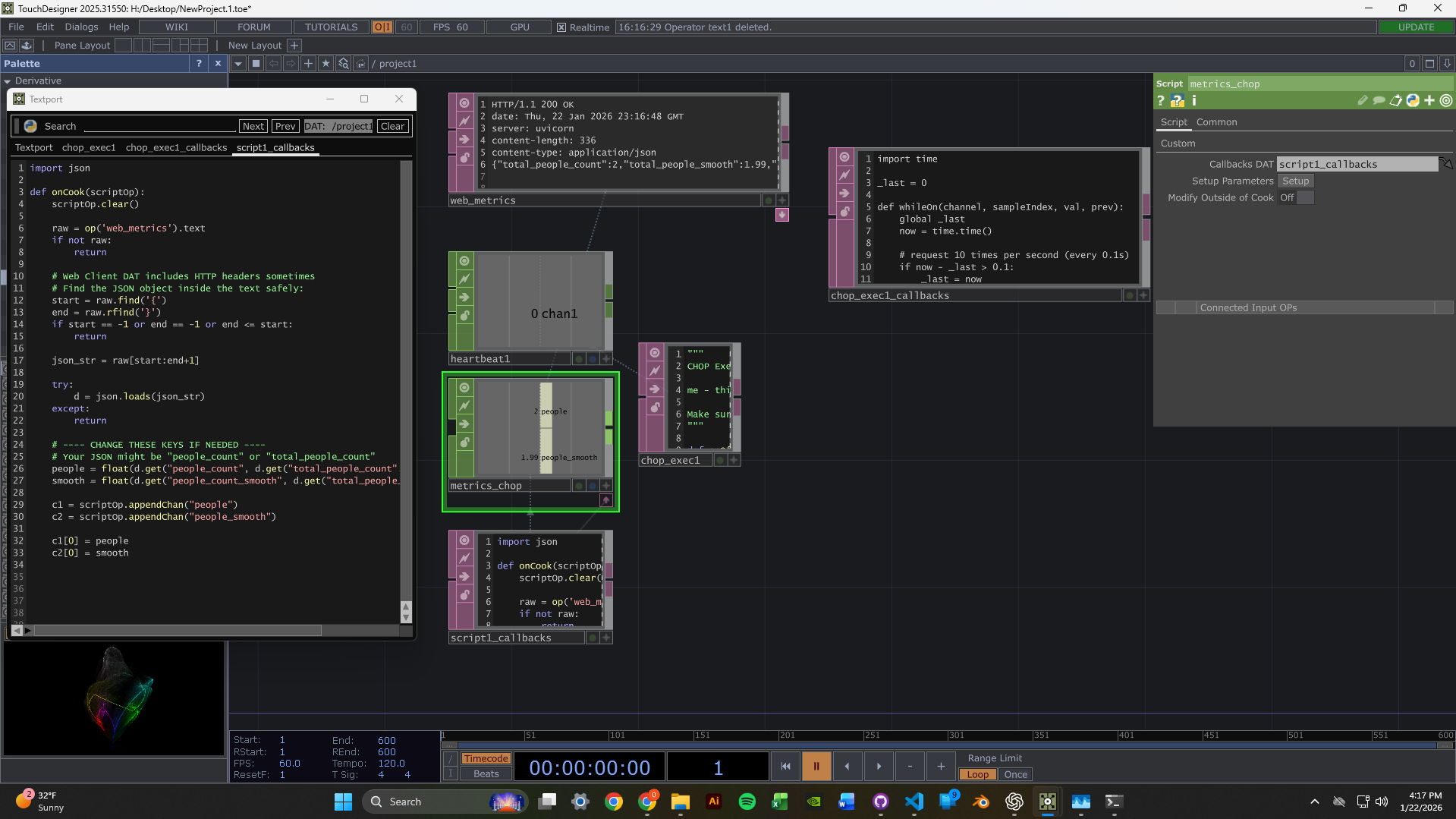
Set up TouchDesigner to fetch data from the sensor server's web URL. The node network pulls metrics from the /metrics endpoint and can display the MJPEG video streams.
This youtube channel has been absolutely instrumental in this proces, it is a treasure trove of tutorial informtion and helpful videos featuring lessons form real TouchDesigner devs with years of experienvce: The Interactive & Immersive HQ
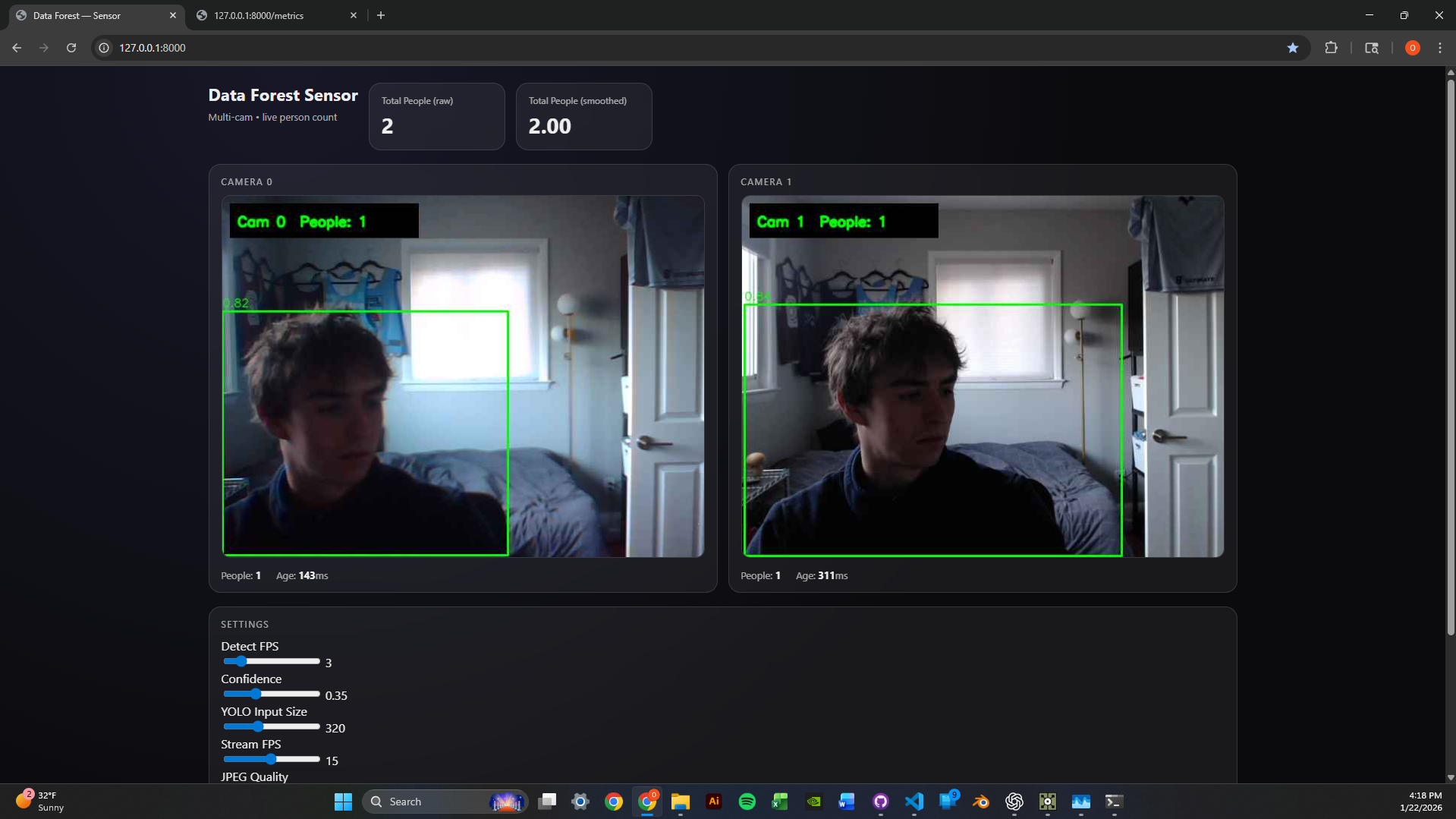
2-Camera Dashboard
Got the dashboard running with two simultaneous webcam feeds. Each feed shows live person detection with green bounding boxes and confidence scores. The metrics panel displays per-camera and aggregate people counts with exponential smoothing for stability.
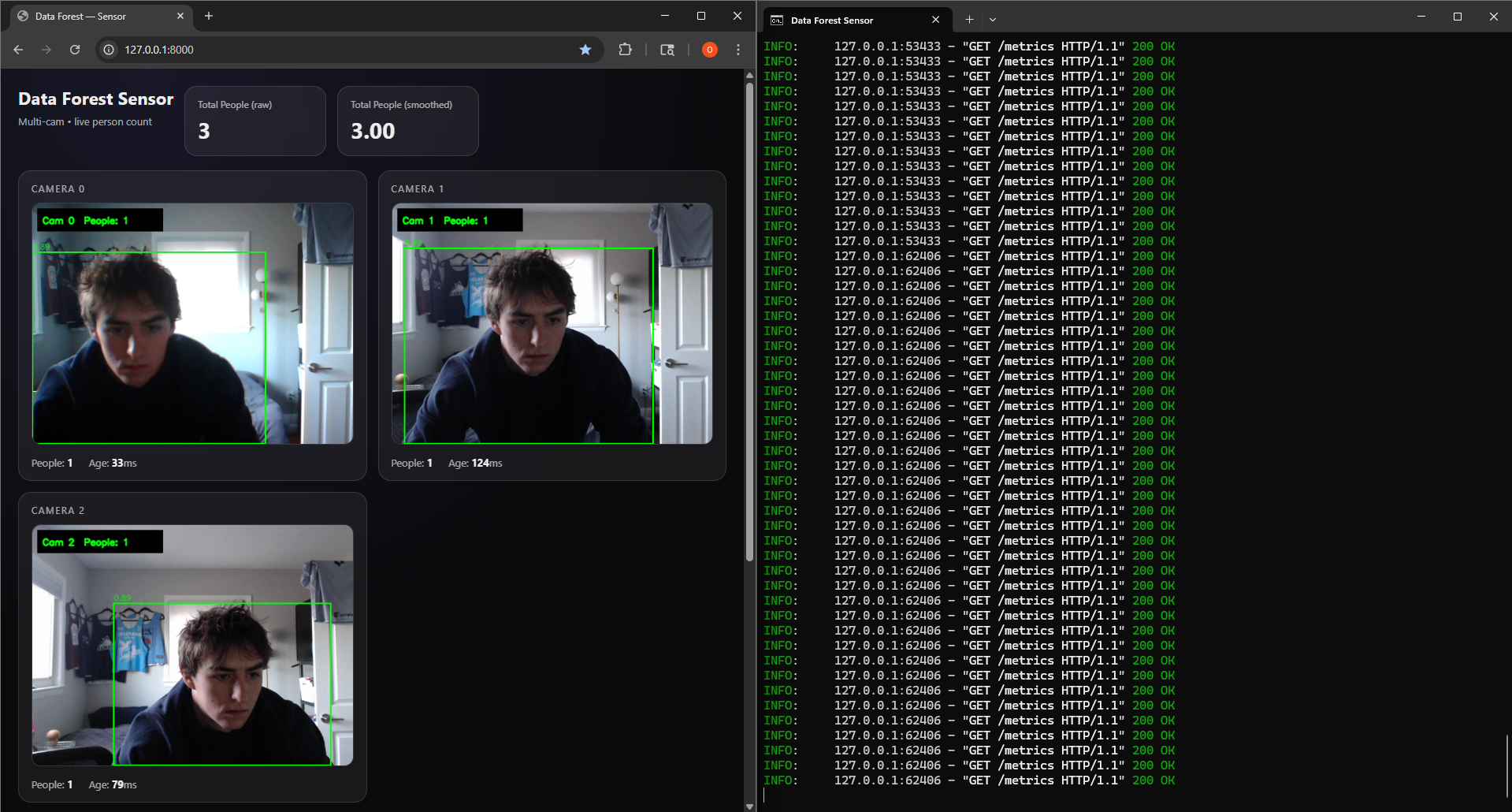
Scaled to 3 Cameras
Successfully scaled the system to handle 3 concurrent camera feeds. The round-robin detection loop maintains consistent performance by distributing inference time across all cameras. Runtime parameters like confidence threshold, image size, and detection FPS can be tuned via POST to /settings without restarting.
Technical Highlights
- Thread-safe frame grabbing - Each camera has its own CameraGrabber thread with lock-protected frame buffers
- MJPEG streaming - Frames served as /video_feed/{camera_id} endpoints for browser-native playback
- Metrics API - JSON endpoint returns per-camera counts, smoothed values, and frame ages
- Hot-reloadable settings - Adjust conf_thresh, imgsz, and detect_fps without server restart
Next Week Goals
- Create reactive TouchDesigner visuals driven by people count data
- Experiment with different visual responses to detection events
- Optimize latency between detection and visual feedback
Week 1: TouchDesigner & Computer Vision Setup
January 13-19, 2026Goals
- Learn TouchDesigner basics and interface
- Follow beginner tutorials to understand node-based workflow
- Set up a simple data pipeline receiver from a camera module (in TouchDesigner)
- Receive and test webcams for computer vision (in TouchDesigner)
- Begin testing camera vision capabilities for webcam (new)
What I Accomplished
TouchDesigner Fundamentals
Familiarized myself with TouchDesigner's interface and workflow. Worked through beginner tutorials to understand the node-based system.
Data Pipeline Setup
Successfully set up a simple data pipeline receiver from a camera module - establishing the foundation for video input.
Webcam Testing
Webcams arrived! Set them up and began testing camera vision in my room, experimenting with tracking and input configuration.
Time Management Reflection
Hours This Week: ~4-5 hours (below 12-hour target)
I traveled Thursday-Monday, which significantly impacted my work time. This was not optimal. Moving forward, I'm committing to the full 12 hours now that I'm back and will better plan around life events.
Unexpected Lessons
- Node-based thinking is different - Requires a new mental model focused on signal flow rather than sequential code
- Camera quality matters - Positioning and lighting will be critical factors
- Steep but powerful - TouchDesigner has a learning curve, but the potential is clear
- Planning is essential - Need to better schedule work around travel and commitments
Next Week Goals
- Dedicate full 12 hours to the project
- Implement blob tracking or motion detection
- Create a basic interactive response system
- Document with photos/videos as I work